



Satellite / Cable / Terrestrial Television Viewer - TV Recorder software for Windows tuner devices

Supported brands/models:
- TBS
- Genpix
- Twinhan
- Pinnacle
- Broadlogic
- DVB World
- Tongshi
- Prof
- Tevii
- Technisat
- Technotrend
- KNC
- NetUP
- Avermedia
- Anysee
- Compro
- Conexant
- FireDTV
- Hauppauge
- Omicom
- Nova
- Videomate
- QBox
- TT Budget
- Mystique SaTiX
- Azurewave
- Terratec
- Cinergy
- B2C2/Skystar
- CdvbAny
- All BDA devices
- and many others...
Test your device with our trial version to make sure, or search forum. We recommend "Genpix" for USA/Canada users and "TBS" cards for Europe & the other parts of the world if you will buy a new one!


DVB Dream has been regulary tested on these devices:
All BDA Compatible Devices (Genpix, TBS (Turbosight), FireDTV, Terratec Cinergy, KNC1, Compro VideoMate S350, Twinhan, Anysee, AMX, AverMedia, DVB World, Hauppauge, NetUP, Geniatech, Omicom, TechnoTrend, SkyStar HD, SkyStar HD2, Tevii and others...) DVBWorld/ SatStar2/ Nextorm/Acorp TV878DS USB/PCI) B2C2 (Airstar, Skystar2, Cablestar) SmartVision/Coship CdvbAny2030s Pinnacle PCTV Sat/Lite/400i Genpix Turbo-8PSK to USB device Twinhan (On WDM drivers, all BT 878 PCI cards should work *) Broadlogic - BL2030 Tongshi DVB-S cards/boxes Technotrend TT-budget 3200 Tevii S630, S660 and others

Devices tested by users
List of older tested devices
BDA tuner filter names


DVB Dream FAQ

Quick answers for the most common DVB Dream questions

Answers at a glance

Frequently Asked Questions

Whether you are reinstalling DVB Dream or optimising a multi-tuner rig, start here for curated guidance pulled from official resources and the community knowledge base.

To get back up and running, follow this order:

  1. Purchase the current yearly plan from the subscription page.
  2. Uninstall the existing DVB Dream installation so the new build installs cleanly.
  3. Download and run the ddfix tool from the members area to clear the previous registration footprint.
  4. Install the latest full release (avoid the trial build) in a fresh folder.
  5. Activate using the new subscription key delivered after purchase.

Tip: Performing each step in sequence prevents stale licence data from blocking activation.

The BDA edition hinges on Microsoft Broadcast Driver Architecture, so it can talk to a wide range of DVB-S/T/C tuners that expose BDA drivers. The legacy WDM edition is tailored for manufacturer-specific hardware and relies on dedicated device drivers. Because keeping WDM modules current demands vendor support, active development now concentrates on the more flexible BDA path.

The channel list surfaces quick status markers:

  • L – Locked channel
  • B – BISS key stored
  • P – Part of a picture-in-picture set
  • F – Favourite entry
  • R – Scheduled for recording
  • S – Scrambled content
  • C – Custom user comment available

Use the flags to filter, search, or prioritise channels when building playlists or recording schedules.

The device list maps channels to the tuners that can decode them. Most setups run fine without it, but if you rely on CI/CAM hardware or have multiple tuners, the list lets you pin specific channels to the device that genuinely supports them.

Spider keeps track of transponder parameters sourced from the web so you can feed feed-hunting data straight into DVB Dream. TSWriter captures the complete transport stream, making it the go-to tool for recording unusual, multi-service, or scrambled feeds for later processing.

The plugin archive is community-maintained. Many plugins stem from third-party developers and may not be actively supported, so always keep manual backups and verify compatibility with your DVB Dream build before relying on them.

Reworking DVB Dream for BDA required months of refactoring and testing. Without manufacturers refreshing their WDM drivers, sustaining that branch no longer yields benefits, so feature work and fixes land in the BDA branch where modern hardware support is strongest.

Community member Biggles has produced a series of visual guides hosted on DVBDream’s media pages. They cover setup, scanning, and day-to-day workflows, making them a great starting point if you are new to the application.

Feature ideas are welcomed on the forums. Prioritisation depends on development bandwidth, but articulating real-world use cases in your forum posts helps the maintainer gauge impact and feasibility.

Beta drops appear in the private members area when there is enough feedback value. Expect experimental behaviour and keep a backup of your configuration before trying them.

Still have a question?

Explore the community forum or open a support ticket from the members area so we can help you faster.






Features:

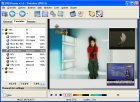
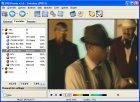
- Multi PIP (19+1, watch a few channels at the same time)
- Multi recording (record more than 1 channel at the same time)
- UHD(4K)/HEVC support - HD/H264 support
- Timeshift
- LAN support
- VLC or MPC Integration
- Auto-zap
- Unique channel list system
(grouping/ordering by several flexible options)
- Favorite channels
- Quick Favorites
- Child lock
- Embedded aspect ratio modes
- Cropping / Zoom
- Sleep timer
- Record timer
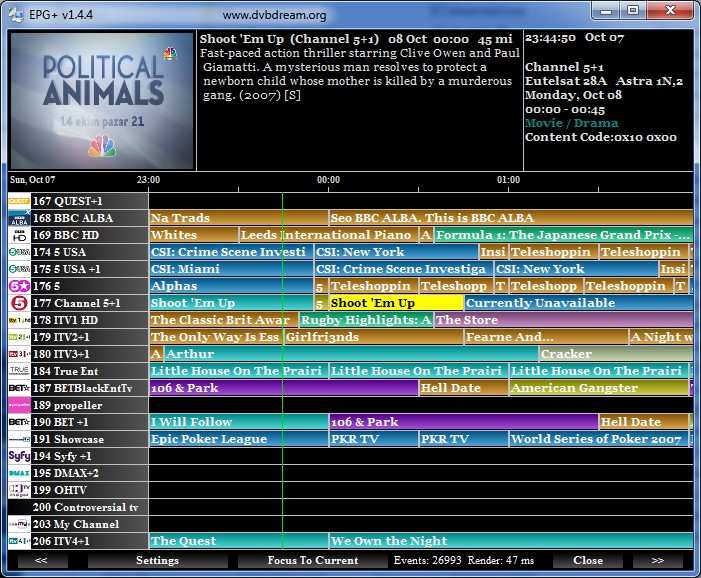
- EPG
- OSD
- Scheduler
- Render-less mode
- Internal graph building
- Multi monitor support
- Command line support
- Network Scan
- Raw Diseqc commands support
- Plugins support
- Preffered languages
- Uncommitted switches support
- Unicable support
- Positioner support
(including GotoX.X / USALS)
- Snapshot feature
- Keyboard shortcuts
- Remote control support
- Themes
- 29 languages support


Home | Guides | Terms | Privacy | Refund Policy | About | Contact Us


© 2003-2026 DVB Dream, Tepesoft

23 years of experience in digital TV software for computer!