
DVB Dream guide
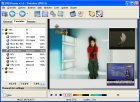
Plan a multi-channel TV recording workflow with DVB Dream for broadcast monitoring, compliance capture, research archives, newsrooms and source footage review.
Updated 2026-05-05
Direct Answer
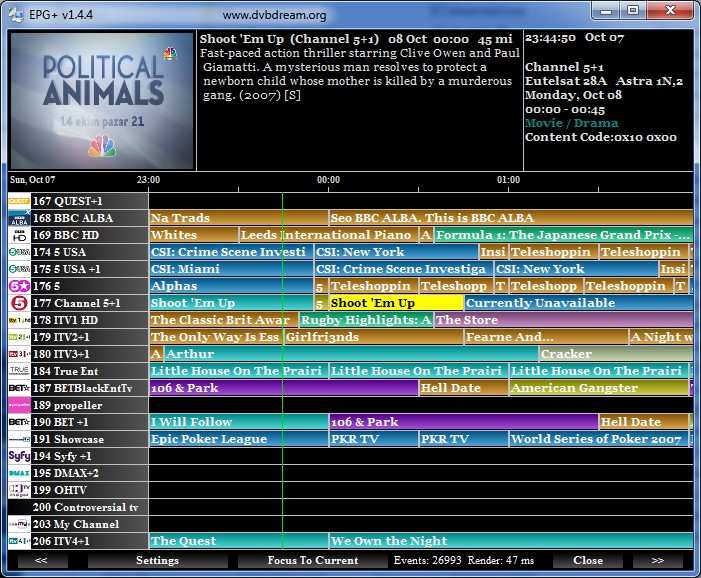
A multi-channel TV recording workflow uses tuner hardware, channel lists, storage planning and scheduled capture rules to record several broadcasts during the same monitoring window. DVB Dream supports this style of work for users who need repeatable Windows-based TV capture.
Who Uses This
- Research teams tracking regional broadcasts.
- Newsrooms and fact-checkers comparing coverage.
- Compliance teams preserving aired material.
- Creators building reference libraries before editing clips.
- Language, caption and accessibility teams reviewing source audio/video.
Workflow Notes
Plan disk space first, keep recording names predictable, and test short captures on every channel group. When possible, group channels by tuner/transponder behavior so scheduled jobs are less likely to collide.
Related Pages
For creator-oriented capture, see stock TV footage workflows. For tuner setup, see BDA tuner filter names.
Common Questions
What is the main risk in multi-channel recording?
The main risks are tuner limits, signal/transponder constraints, disk speed and schedule conflicts. Test the exact workflow before relying on it.
Can this replace a dedicated broadcast compliance system?
DVB Dream can support monitoring and archive workflows, but regulated compliance teams should validate retention, audit and legal requirements separately.